
COD reconciliation Shopify
COD Reconciliation for Shopify: The Complete Guide
7 September 2026 · 7 min read
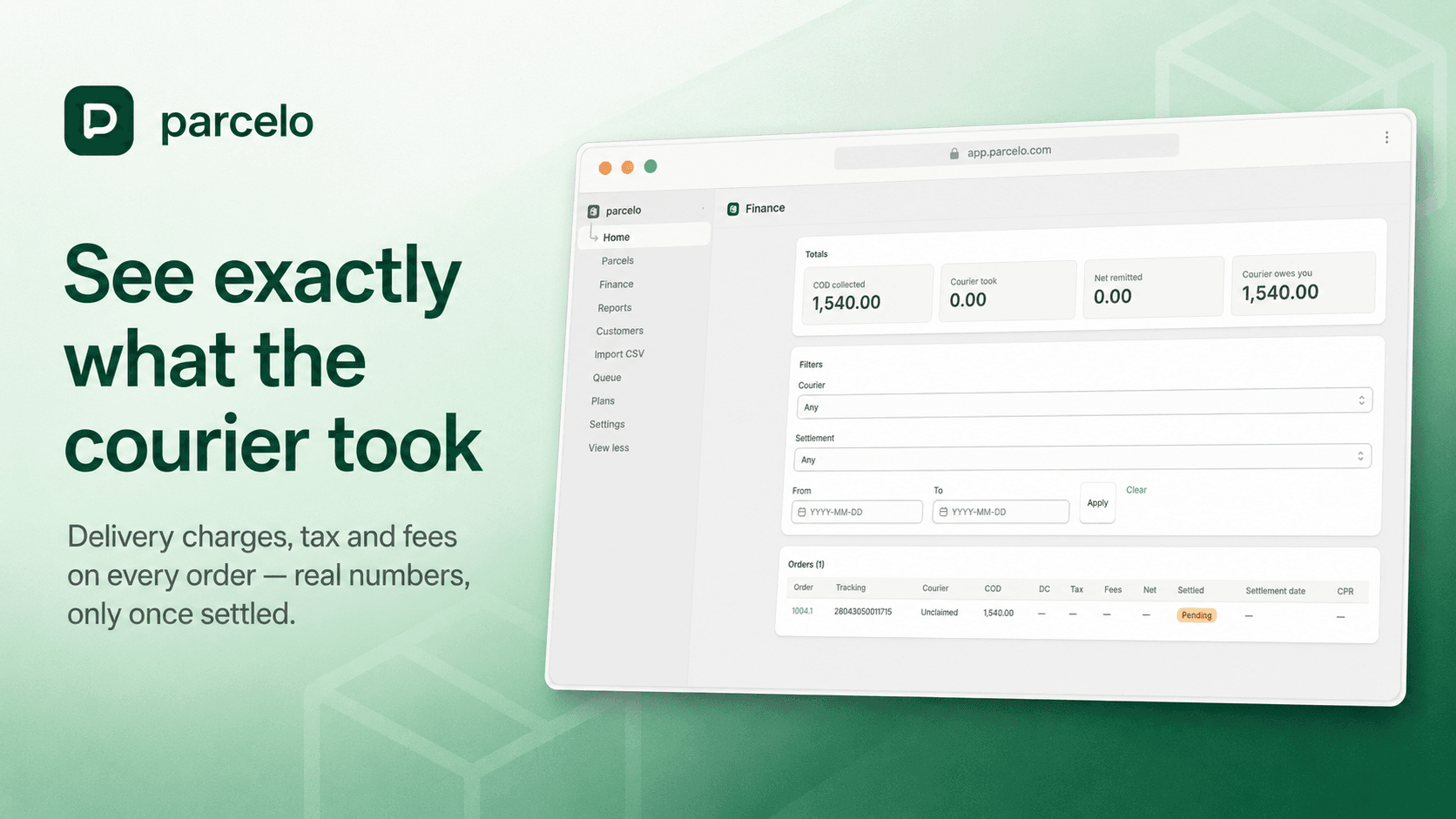
If you sell cash-on-delivery on Shopify, reconciliation is where your margin quietly disappears. Money moves through a courier before it reaches you, charges get deducted along the way, and by the time you tally it all up at month-end, the numbers rarely match what you expected. This guide explains what COD reconciliation is, why it leaks money, and how to do it properly.
What is COD reconciliation?
COD reconciliation is the process of matching three things:
- The orders your store shipped as cash-on-delivery.
- What the courier actually collected, charged, and delivered or returned.
- The money the courier finally remitted to your account.
When those three line up, you know you've been paid correctly. When they don't, something is wrong — an order marked delivered but never remitted, a charge that's higher than agreed, or a return you weren't told about.
Why COD leaks money
There are three classic gaps:
Deliveries you forget to mark paid
A parcel is delivered and the customer pays the courier, but the order sits "unpaid" in Shopify because nobody ticked it off. Your order list stops reflecting reality, and your revenue reporting drifts.
Returns you learn about late
A refused parcel comes back days later. If you don't catch it quickly, you've already shipped that customer's next COD order — doubling your exposure.
Charges you only notice at month-end
Delivery charges, taxes, and fees are deducted before remittance. If you only see the net figure, you never learn what the courier actually took — until an audit, if ever.
How to reconcile COD, step by step
- Pull delivery status from your courier. For each fulfilled tracking number, get its current state: in transit, delivered, or returned.
- Match it to the Shopify order. When a parcel is delivered, mark the COD order paid; when it's returned, flag it.
- Record the charges. Capture the delivery charge, tax, and fees deducted, and the net that should be remitted.
- Wait for actual settlement. Don't treat a figure as final until the courier has genuinely settled it. Estimated numbers lead to wrong decisions.
- Report by period and courier. Roll it up monthly so you can see return rates and charges per courier, and export for your books.
Doing it by hand vs. automating it
You can reconcile manually — download the courier sheet, match rows to Shopify orders, tick off deliveries, and total the charges. It works at low volume, but it's slow, error-prone, and it's the first thing that slips when you get busy.
Automating it removes the daily grind. Parcelo reads delivery status from your courier, reconciles it against your Shopify orders, marks delivered COD orders paid, and shows the real charges per order — never a settled figure until it's truly settled. It also flags high-return customers so you can act before shipping to them again.
What good reconciliation gives you
- An order list that always matches reality.
- Clear visibility into what each courier actually took.
- Early warning on returns, before you re-ship.
- Clean monthly numbers you can hand to your accountant.
Built for Pakistan COD sellers, Parcelo supports PostEx, Rocket Courier, Trax, XPS and Swift Postvia API, with CSV import for other couriers. See the courier integrations or start on the free plan.